
Try BPF Studio
You don't need a license to look around. Install the solution and BPF Studio opens your BPFs view-only: the designer, Simulate, History and Documentation all work.
Want to try saving too?
Get a free 7-day trial license from inside the app. No card needed.
- Download and install the BPF Studio solution.
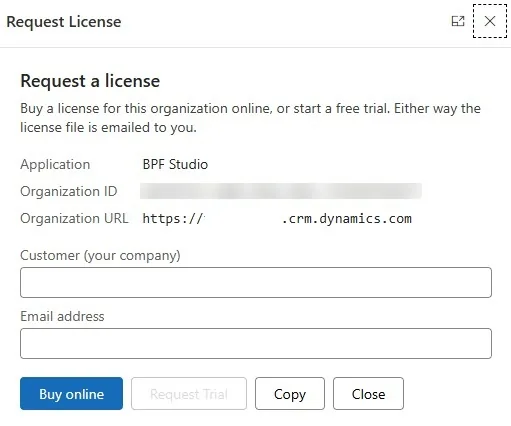
- In the BPF Studio app open Licenses > Request License. Your organization ID is filled in for you.
- Enter your company name and email address, then choose Request Trial.
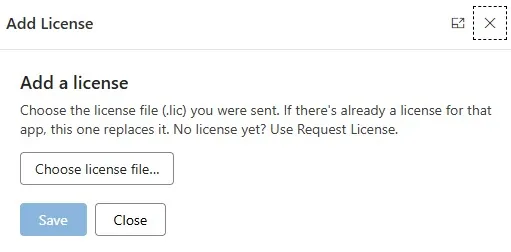
- Your trial license file arrives by email within a few minutes. Choose Add License and pick the file. Saving works within a minute.
One trial per organization. When it ends, BPF Studio goes back to view-only until you buy a license; your BPFs keep running as normal.
Ready to buy? See pricing.